Licensing
Demo Mode
OpenProtocol Tester runs in demo mode without a license file. In demo mode:
- All features are fully functional initially
- A reminder dialog appears periodically (up to 3 times)
- After the 3rd reminder, some features are disabled until a license is activated
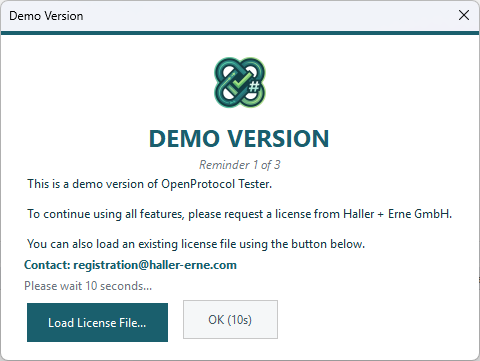
The reminder dialog shows:
- A countdown timer (30 seconds before you can dismiss)
- A Load License File button for immediate activation
- The reminder number (e.g., "Reminder 1 of 3")
Activating a License
Loading a License File
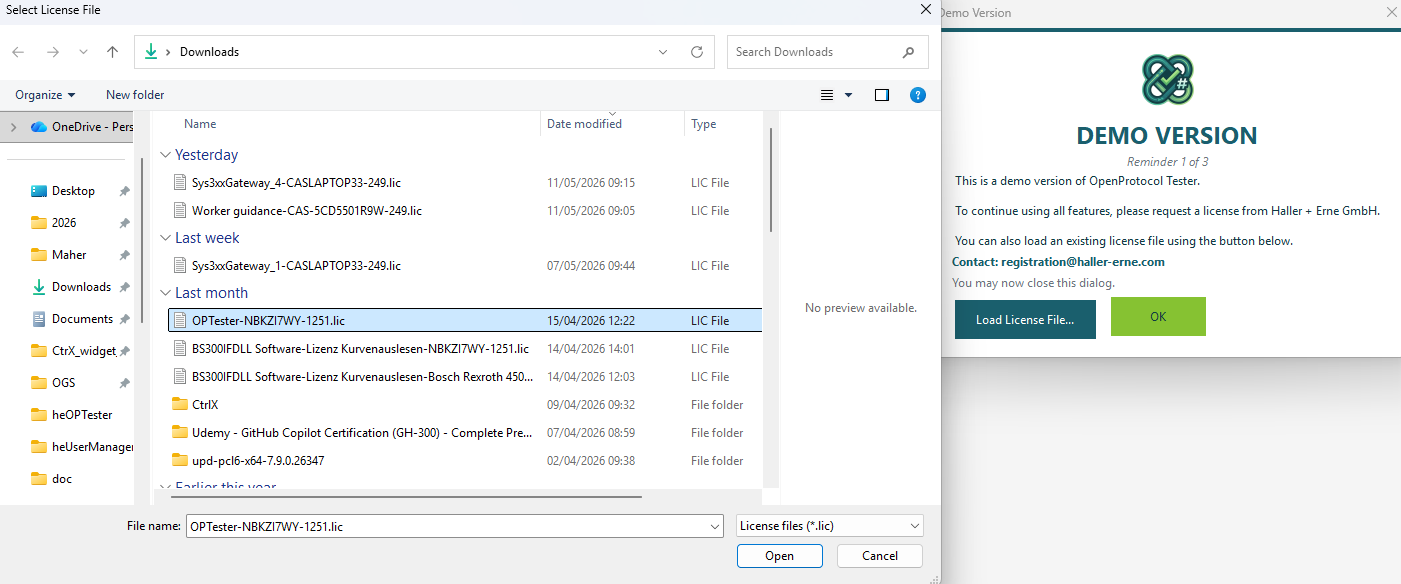
- When the demo reminder appears, click Load License File... — or at any time, use the menu to load a license
- Select your
.liclicense file - The application validates the license immediately
- If valid, demo mode is deactivated and all features are unlocked
The license is stored at:
C:\ProgramData\Haller + Erne GmbH\Licensing\OPTester.lic
Obtaining a License
Contact Haller + Erne GmbH to request a license:
- Email: registration@haller-erne.com
- Provide your organization name and the number of seats needed
License Status
The status bar shows the current license state:
| Status | Meaning |
|---|---|
| Licensed | Valid license active |
| Demo | Running in demo mode |
| Demo (features disabled) | Demo period expired |
Feature Restrictions
When the demo period expires (after 3 reminders), the following features are disabled:
| Feature | Status |
|---|---|
| Connection | Disabled — cannot connect |
| MID panels | Read-only — cannot send |
| Test Suites | Disabled — cannot run tests |
| Log Viewer | Still functional (view-only) |
Load a license file to restore full functionality.