Getting Started
System Requirements
- OS: Windows 10 or later (64-bit)
- Runtime: .NET 8 Desktop Runtime (the installer downloads it automatically if missing)
- Network: TCP/IP access to the tightening controller
Installation
Run the installer:
OpenProtocolTester-Setup-0.6.0-beta.exe
The installer will:
- Check for .NET 8 Desktop Runtime and offer to download it if missing
- Install to
C:\Program Files\Haller + Erne GmbH\OpenProtocolTester\ - Create a Start Menu shortcut
First Launch
When you first start the application, you'll see:
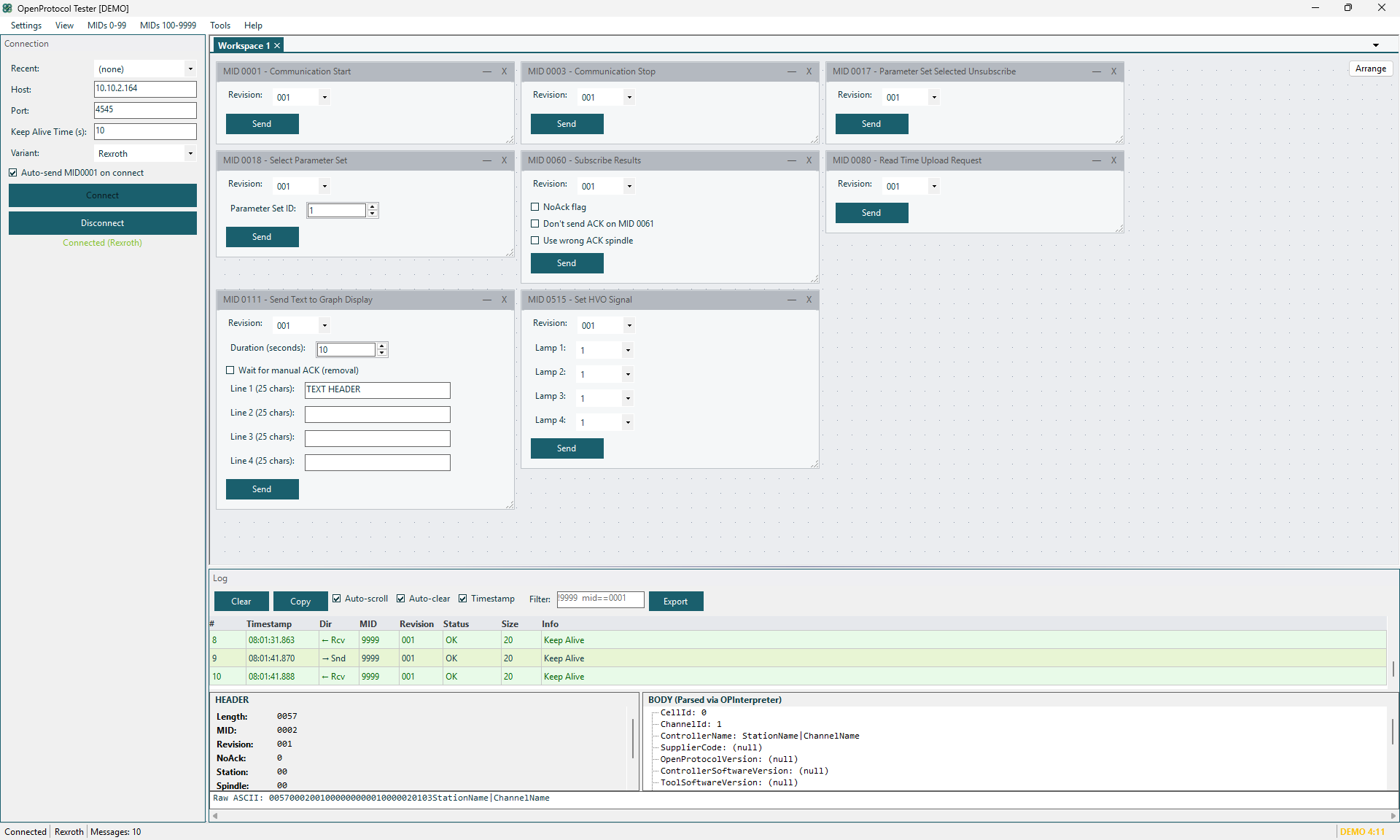
The interface has these main areas:
| Area | Description |
|---|---|
| Menu Bar | Access all MID panels, tools, and settings |
| Connection Panel | Configure and manage the TCP connection |
| Log Panel | View all sent and received messages |
| Status Bar | Connection status, protocol variant, message count |
| Docked Panels | MID panels, tools, and utilities (via Syncfusion DockingManager) |
UI Layout
The application uses a dockable panel layout powered by Syncfusion DockingManager. You can:
- Drag panels to rearrange them
- Float panels by dragging them out of the dock
- Auto-hide panels by clicking the pin icon
- Close panels from the tab's X button
- Restore panels from the menu
Menu Structure
The menu bar is organized into 23 groups matching the Open Protocol specification:
| Menu Group | MIDs | Description |
|---|---|---|
| Connection | 0001, 0003 | Communication start/stop |
| Generic Messages | 0008, 0009 | Subscribe/unsubscribe (per variant) |
| Parameter Set | 0010, 0012, 0014, 0017–0021 | Parameter set data and selection |
| Job Data | 0030, 0032, 0034 | Job information |
| Job | 0038, 0554, 0557, 0570–0574 | Job control and status |
| Tool Data | 0040, 0127 | Tool information |
| Tool Enable | 0042, 0043 | Enable/disable tool |
| Calibration | 0045 | Calibration data |
| ID Code | 0050, 0051, 0054, 0150 | Vehicle/part identification |
| Result Data | 0060, 0063, 0064, 0100, 0103 | Tightening results and curves |
| Alarms | 0070, 0073, 0078 | Alarm subscribe/acknowledge |
| Time | 0080, 0082 | Controller time |
| Various | 0110, 0111, 0113 | Multi-spindle status |
| Signals | 0200, 0210, 0213, 0500–0504 | I/O signals |
| User Data | 0240, 0241, 0244, 0245 | User-defined data |
| Tool Tag ID | 0260, 0261 | RFID tool identification |
| Mode Settings | 0400, 0403, 0404, 0410 | Mode control |
| HVO | 0510, 0513, 0515 | Hand-held Video Output |
| Socket Tray | 0520, 0523, 0524 | Socket tray selection |
| Battery | 0800, 0802 | Battery status |
| Wi-Fi | 0805, 0807 | Wi-Fi status |
| Customer BMW | 9005, 9006, 9090, 9091 | BMW-specific custom MIDs |
| Alive | 9998, 9999 | Keep-alive messages |
Tools Menu
| Menu Item | Description |
|---|---|
| Test Suites | Open the Lua test scripting window |
| Statistics | Tightening/curve counters |
| Autosender | Loop-send messages at intervals |
| Hex Editor | View/edit binary message data |
| Header Editor | Edit Rexroth protocol header fields |
Demo Mode
The application runs in demo mode without a license. A reminder dialog appears periodically (3 times) before features are disabled. See Licensing for details on activating a license.