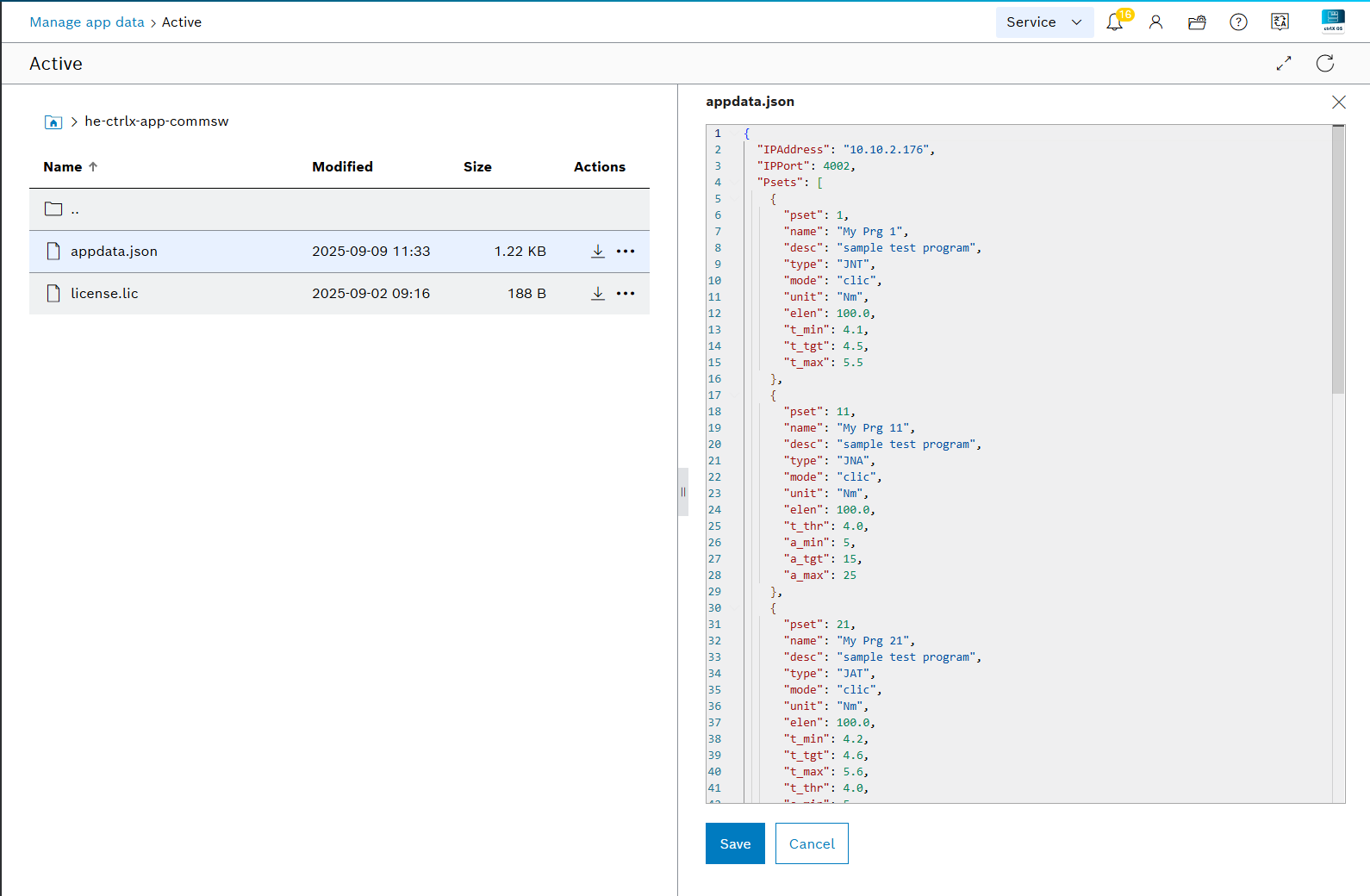
Configuration (`appdata.json`)
Location
Solutions file view:
…/solutions/configurations/appdata/content/edit/appdata.json?path=he-ctrlx-app-commsw%2F
Required Fields
IPAddress, IPPort, PSets (array of program definitions).
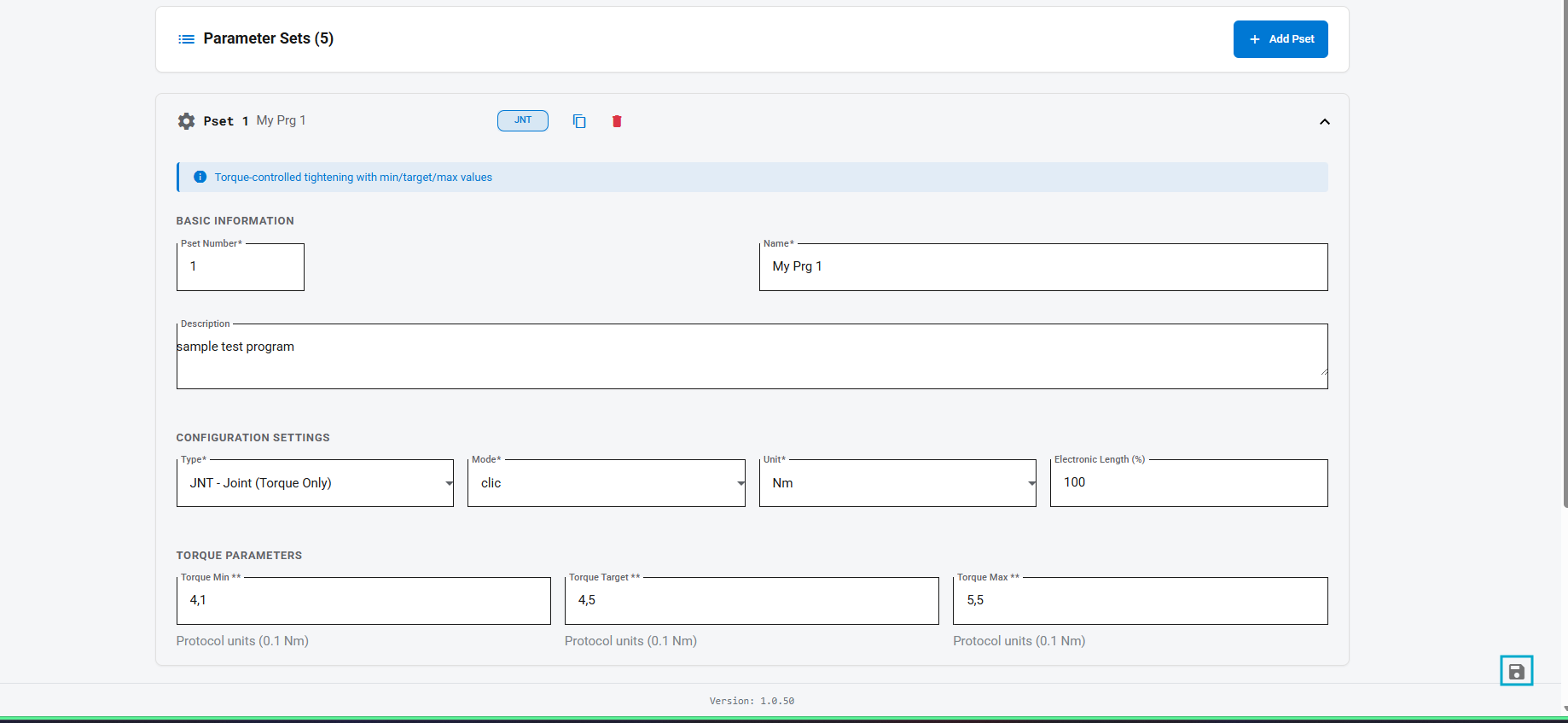
Supported PSet fields: pset, name, desc, type (JNT/JNA/JTA/JAT), mode (clic/trck/peak), unit (Nm/in lb/ft lb), elen, torque limits t_min/t_tgt/t_max, threshold t_thr, and angle a_min/a_tgt/a_max where applicable.
Parameter applicability by tool type
| Parameter | Description | JNT | JNA | JTA | JAT |
|---|---|---|---|---|---|
t_min | Minimum torque | ✓ | ✓ | ✓ | |
t_tgt | Target torque | ✓ | ✓ | ✓ | |
t_max | Maximum torque | ✓ | ✓ | ✓ | |
t_thr | Threshold torque | ✓ | ✓ | ✓ | |
a_min | Minimum angle | ✓ | ✓ | ✓ | |
a_tgt | Target angle | ✓ | ✓ | ✓ | |
a_max | Maximum angle | ✓ | ✓ | ✓ |
Blank cells indicate the parameter is not used for that tool type.
Example
{
  "IPAddress": "10.10.2.168",
  "IPPort": 4002,
  "PSets": [
    {
      "pset": 1,
      "name": "My Prg 1",
      "desc": "sample test program",
      "type": "JNT",
      "mode": "clic",
      "unit": "Nm",
      "elen": 100.0,
      "t_min": 4.1,
      "t_tgt": 4.5,
      "t_max": 5.5
    }
  ]
}
Configuration Editor UI
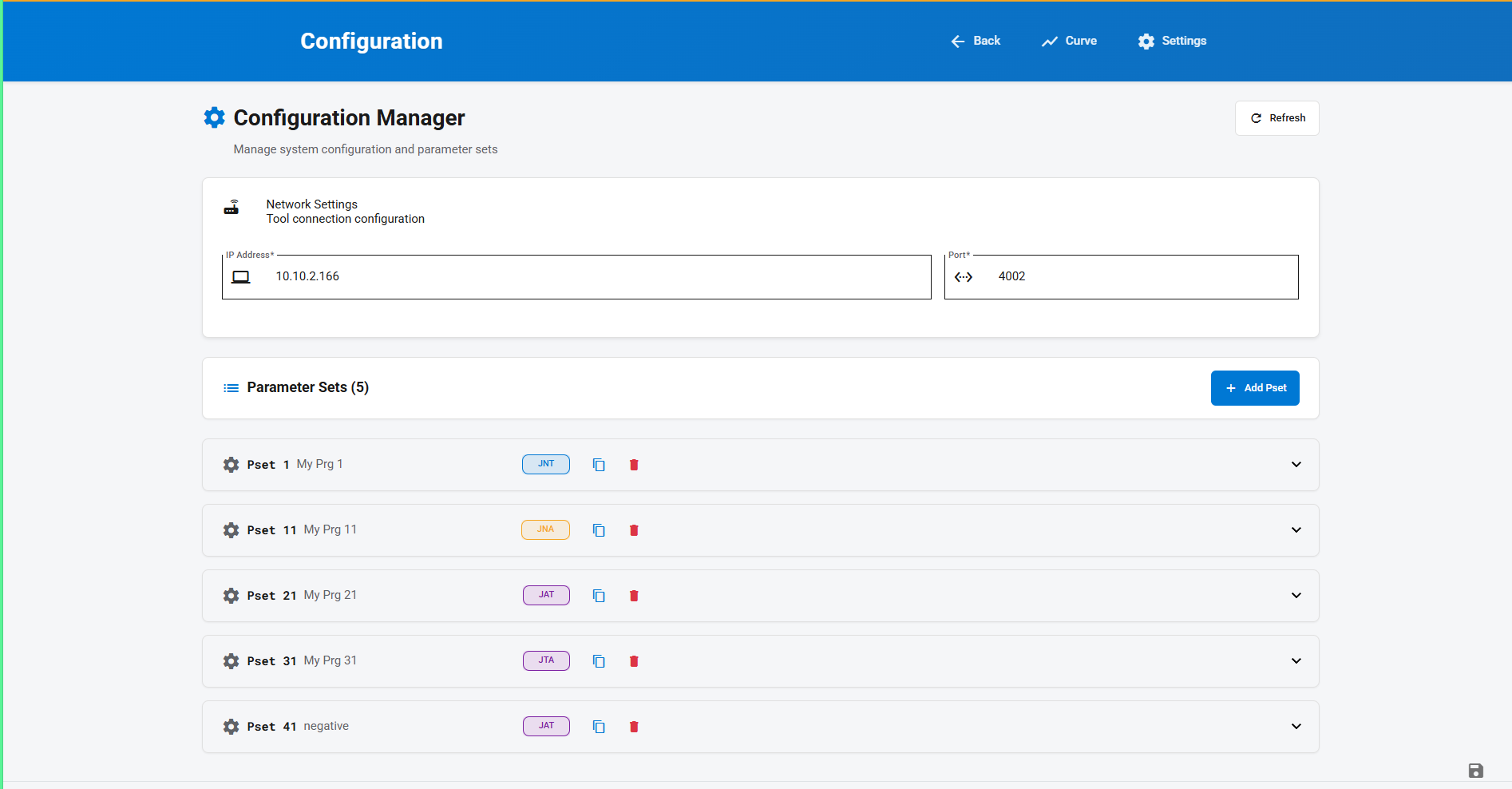
The application includes a Graphical User Interface to modify the configuration of the network settings and parameter sets directly without editing the JSON file manually.
Overview Page
The main configuration page displays the current network connection settings (IP Address and Port) and a list of all configured parameter sets (PSets).
Parameter Set Editor
Expanding a parameter set displays its specific configuration settings, such as PSet number, name, description, unit, and torque/angle parameters.